You log in, stand in Lumbridge,
and log out again.
Two thousand hours in and there is still too much to choose from. Waypoint reads your account, asks how long you have, and picks one thing that fits.
No login, no sign-up, nothing to install. The demo opens one of our own accounts, fully loaded — click anything you like; nothing you do there is saved. Waypoint is not affiliated with Jagex and never asks for your RuneScape password.
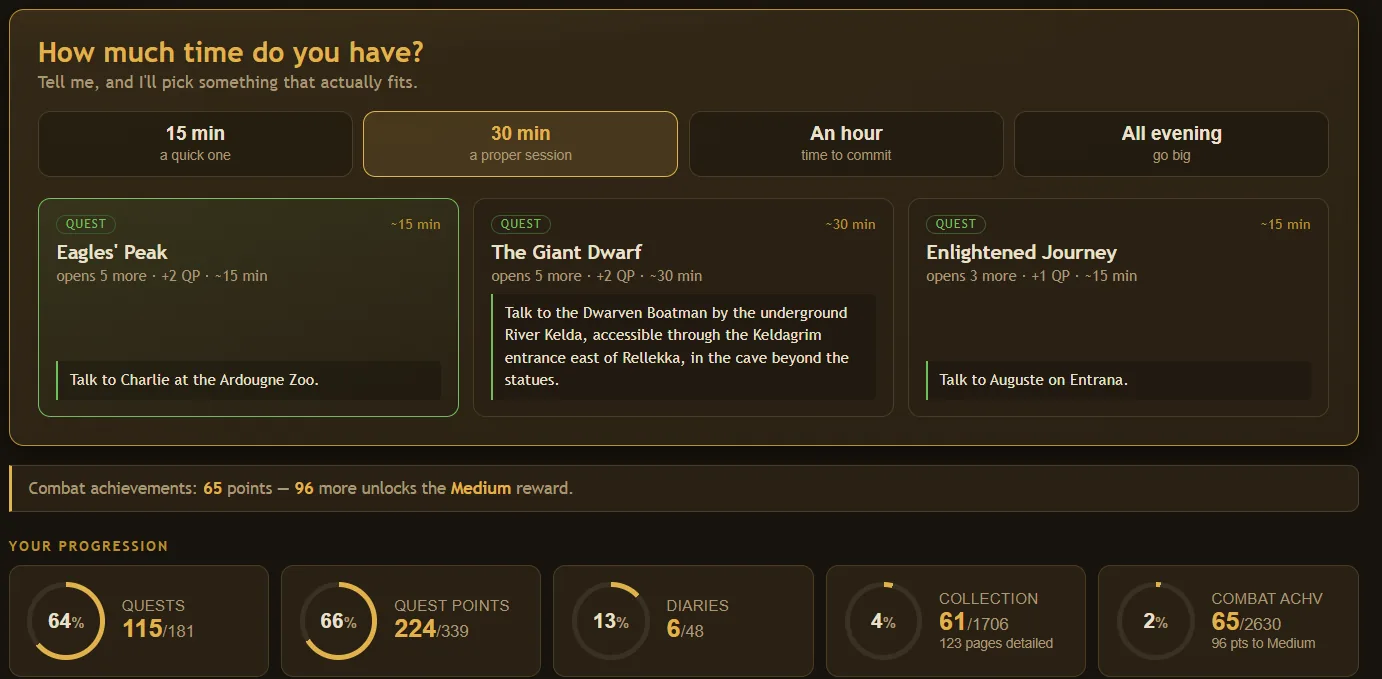
One answer, not a list
Every other tracker hands you a spreadsheet. Waypoint gives you a single next step and the reason it picked it.
It knows what you can actually do
Requirements are checked against your real levels and quest history, so nothing it suggests turns out to be locked.
Built for the overwhelmed
Made for the evening where you know you want to play but not what to play. Say you have fifteen minutes and it respects that.
What you get
Pick one goal, and always see your next step toward it
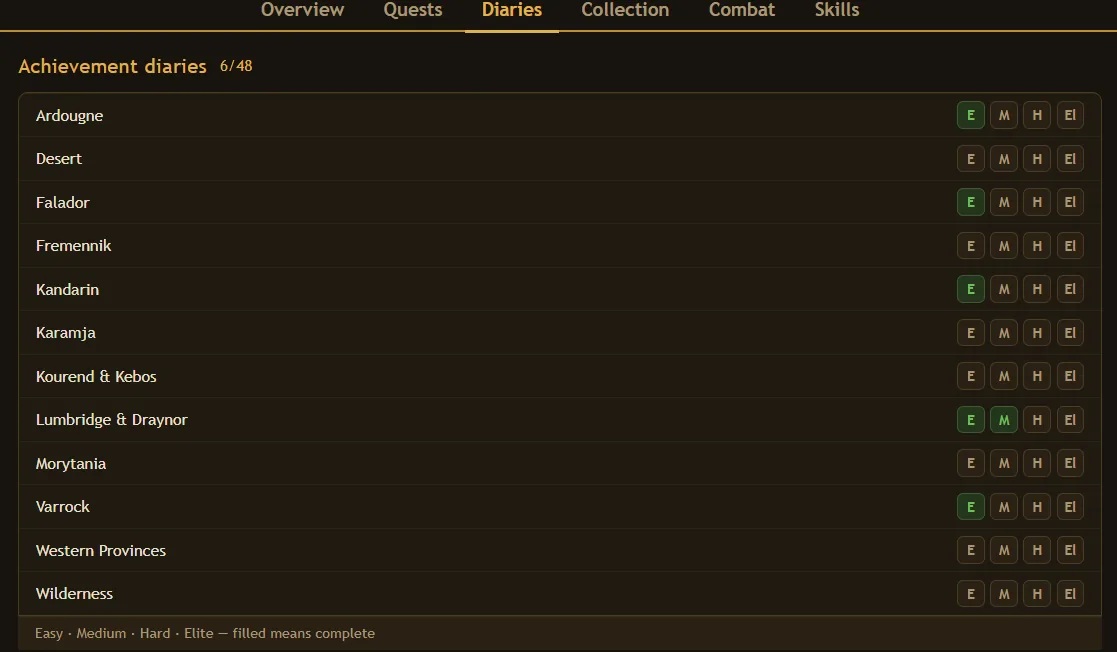
Choose a Quest Cape, a single quest, a skill level, an achievement diary or a collection log page. Waypoint keeps one banner at the top of your dashboard showing exactly what to do next — for the Quest Cape, in the community's optimal order, with the full path a click away.

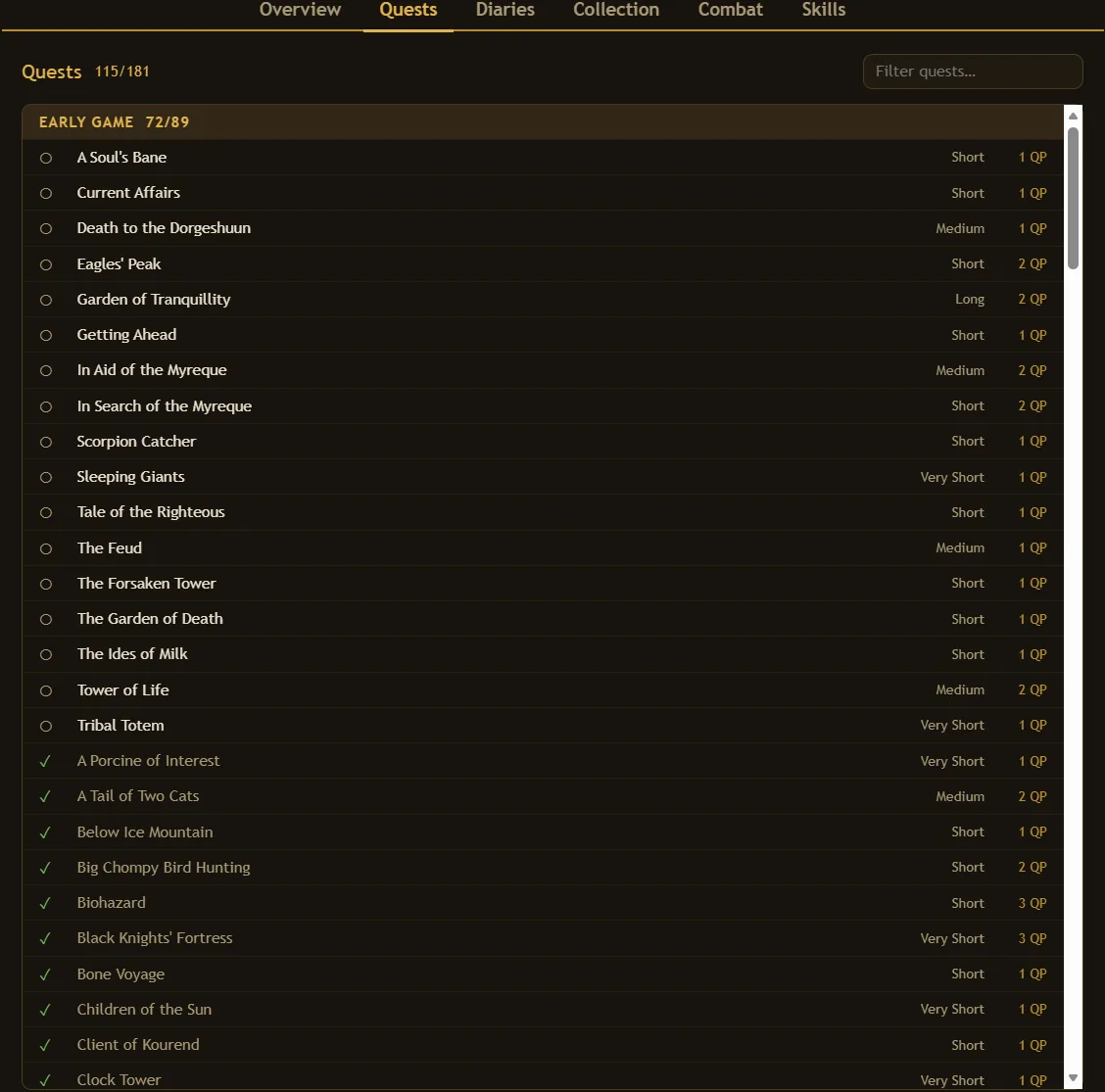
Every quest, sorted by what you can start right now
Every quest, each with its requirements checked against your account. Available ones surface, locked ones say exactly what they are waiting on, and boostable requirements are marked so you know a dose of stew will do.
- Filter to what is available, or search the lot
- See what each quest unlocks before you commit to it
- Where to actually start, so you are not opening the wiki again
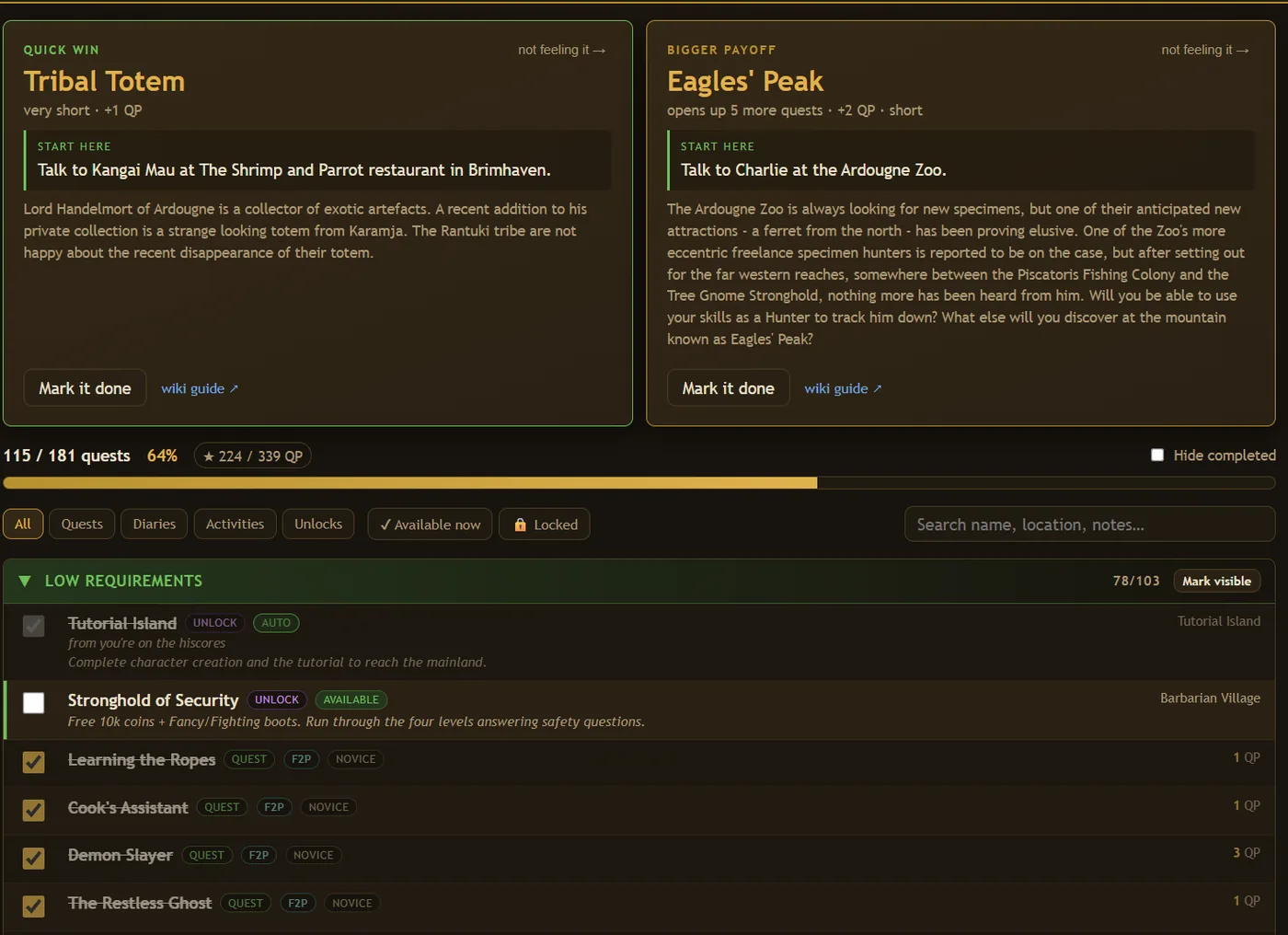
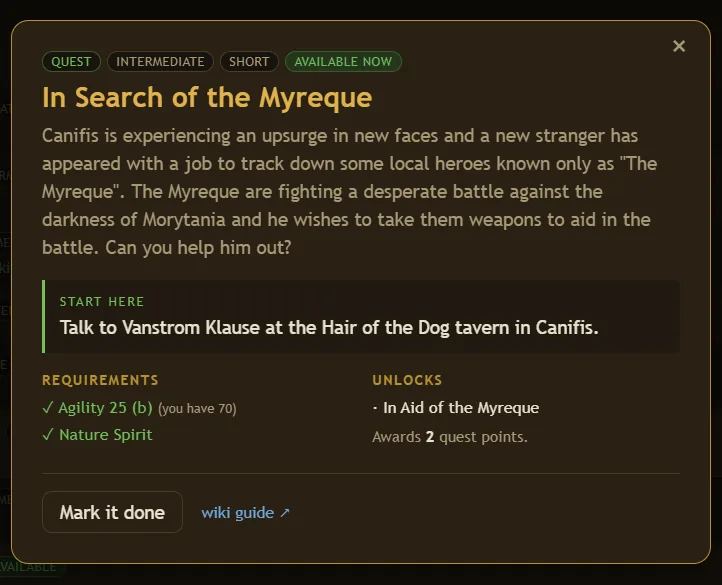
Open anything and get the whole picture
Requirements you meet, requirements you do not, what it unlocks, how long it takes, and the first thing to actually go and do. Mark it done without leaving the page.
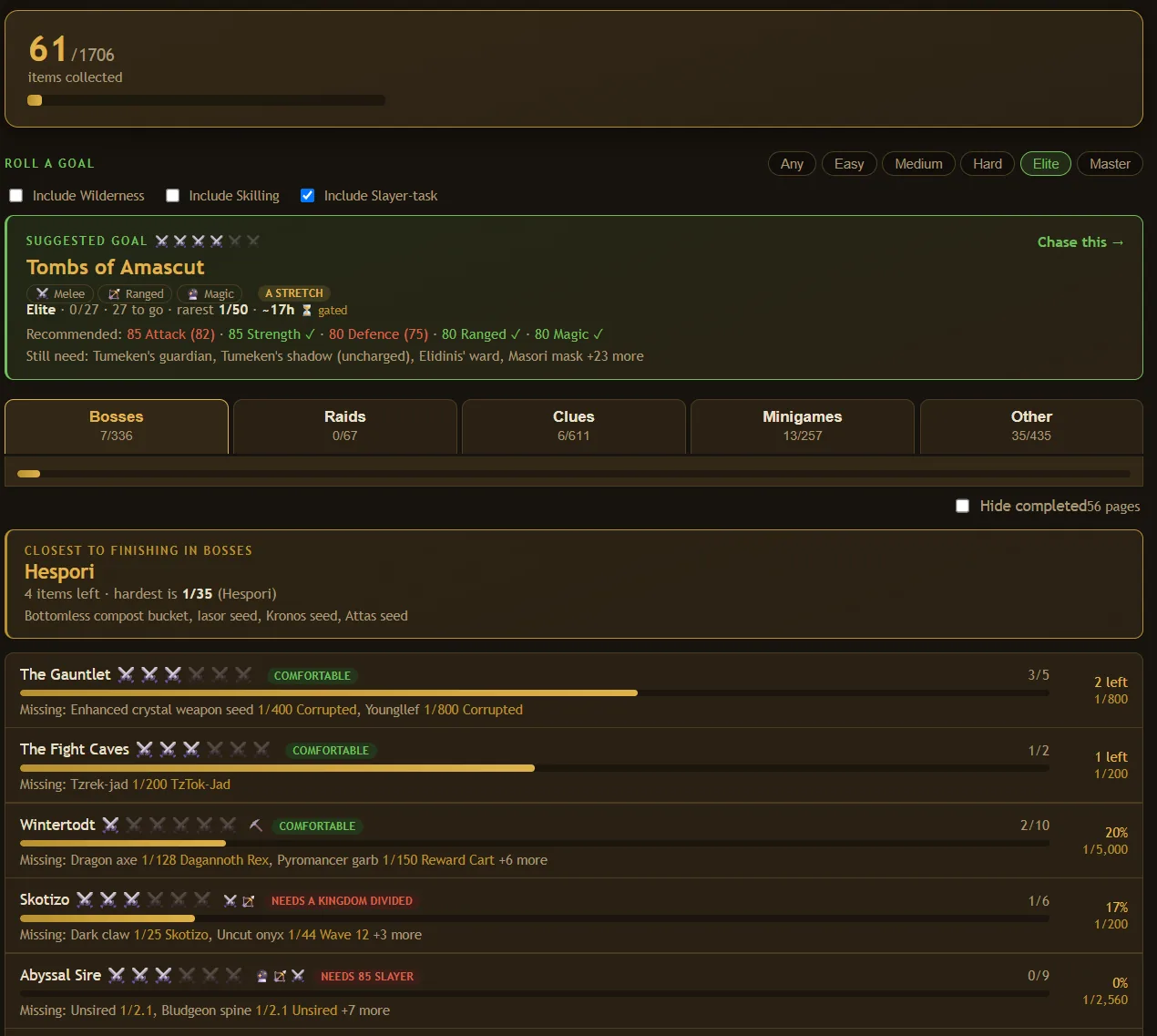
Every slot, and a straight answer on which to chase
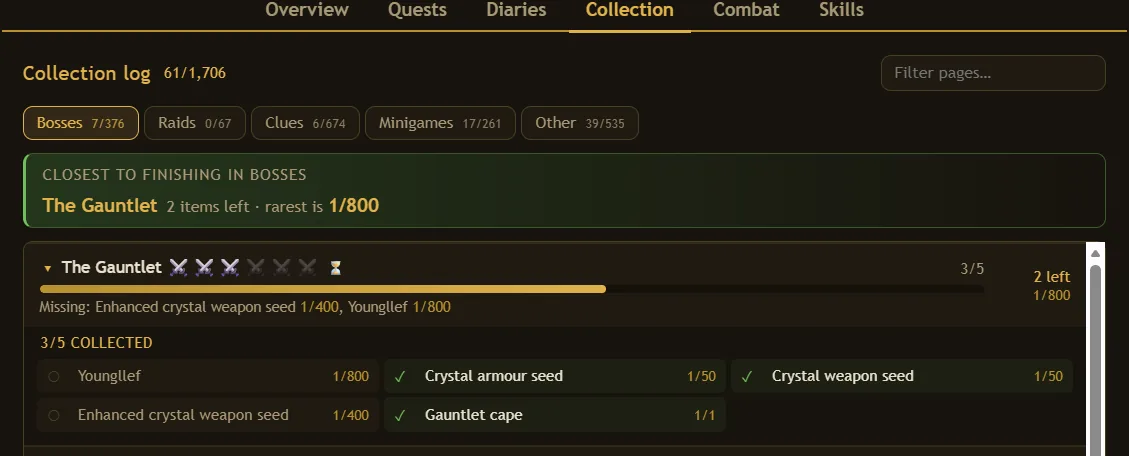
Every page rated by the wiki's own six-tier bossing ladder rather than a made-up difficulty number, with drop rates on the items you are still missing and a note of the rarest thing standing between you and a full page.
- Pages you are one or two items away from finishing, first
- Real drop rates, so you know what you are signing up for
- Which combat style each boss actually wants
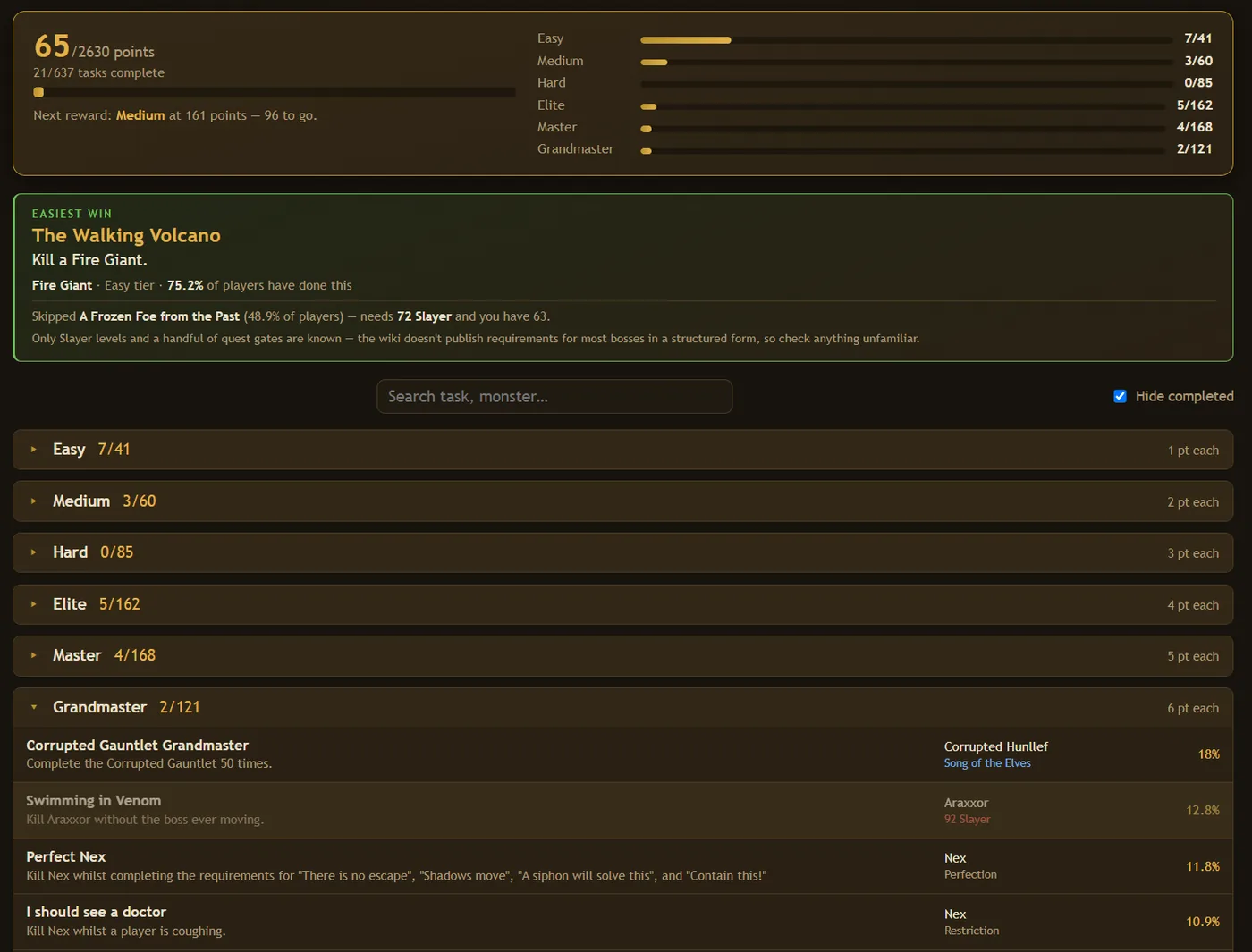
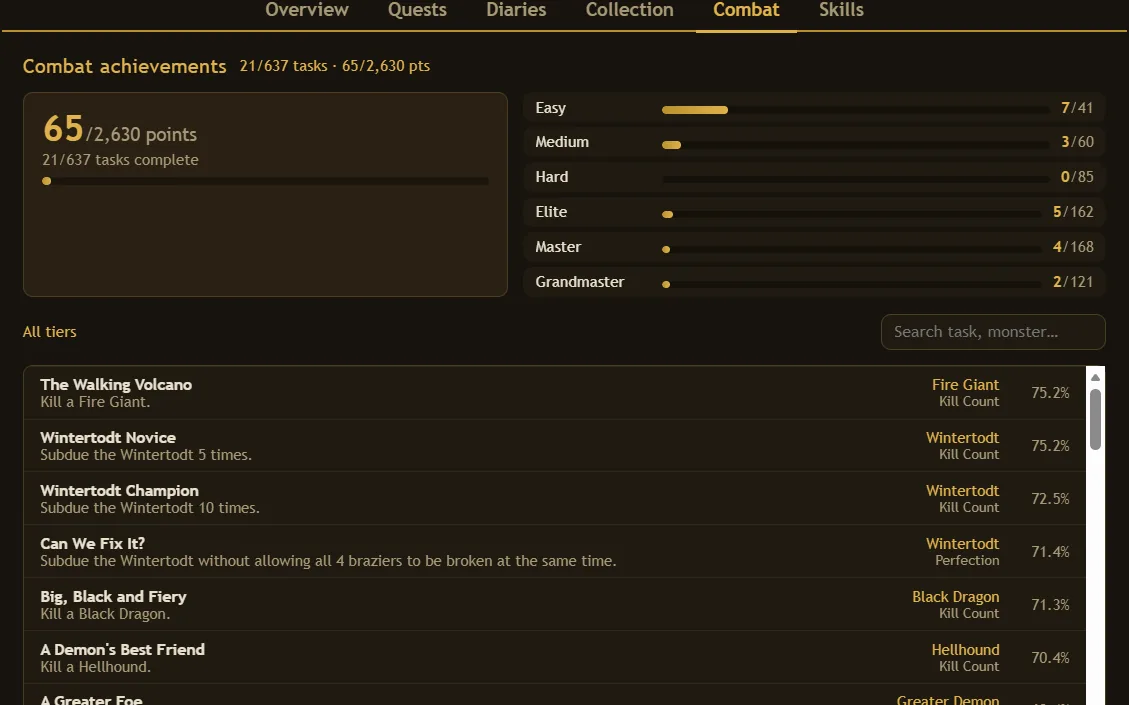
Every combat task, and how close the next reward is
Tier progress, points to the next reward tier, and every task searchable by boss. Tasks you have finished are ticked off automatically from the game itself.
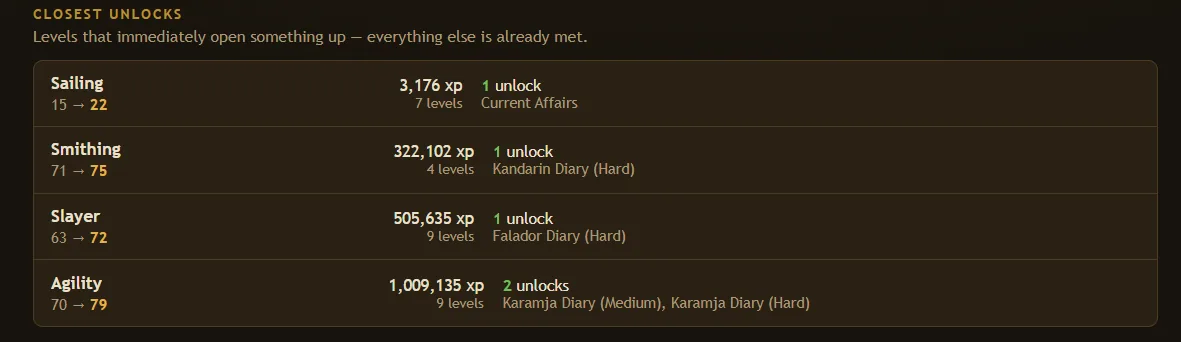
The levels that actually unlock something
Not "train everything". Waypoint works out which levels are standing between you and a diary, a quest or a piece of content, and ranks them by the xp it would take — because four levels at 71 Smithing is a far bigger ask than seven levels at 15 Sailing.
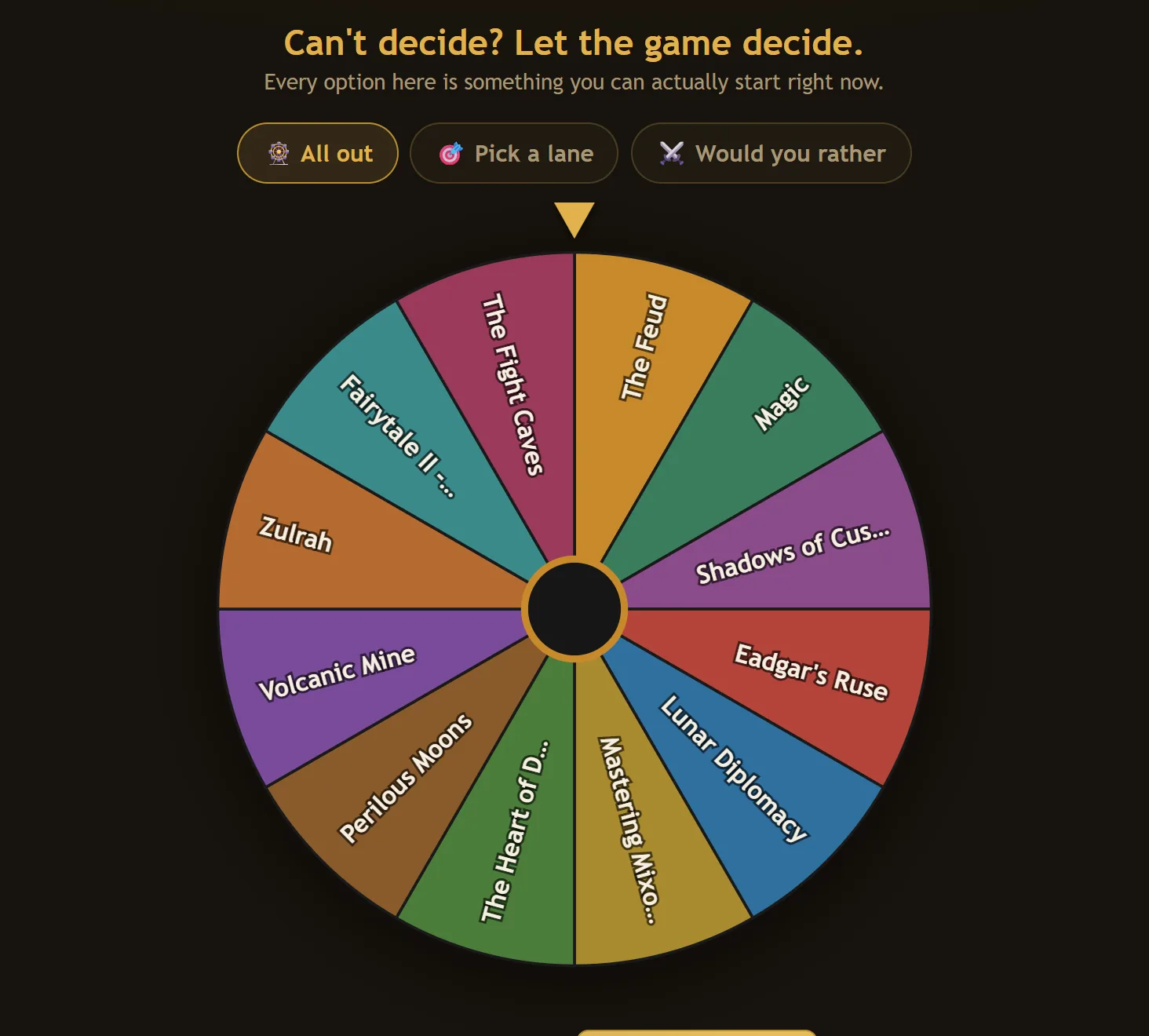
Can't decide? Let the game decide
Spin a wheel, pick a lane, or pit two options head to head. Every result is drawn only from things you can actually start right now, so a spin never lands on something you are locked out of.
- Skills, quests, bosses and minigames all in the pool
- Narrow to a single lane when you already know the mood
- Turns "what should I do" into thirty seconds of fun
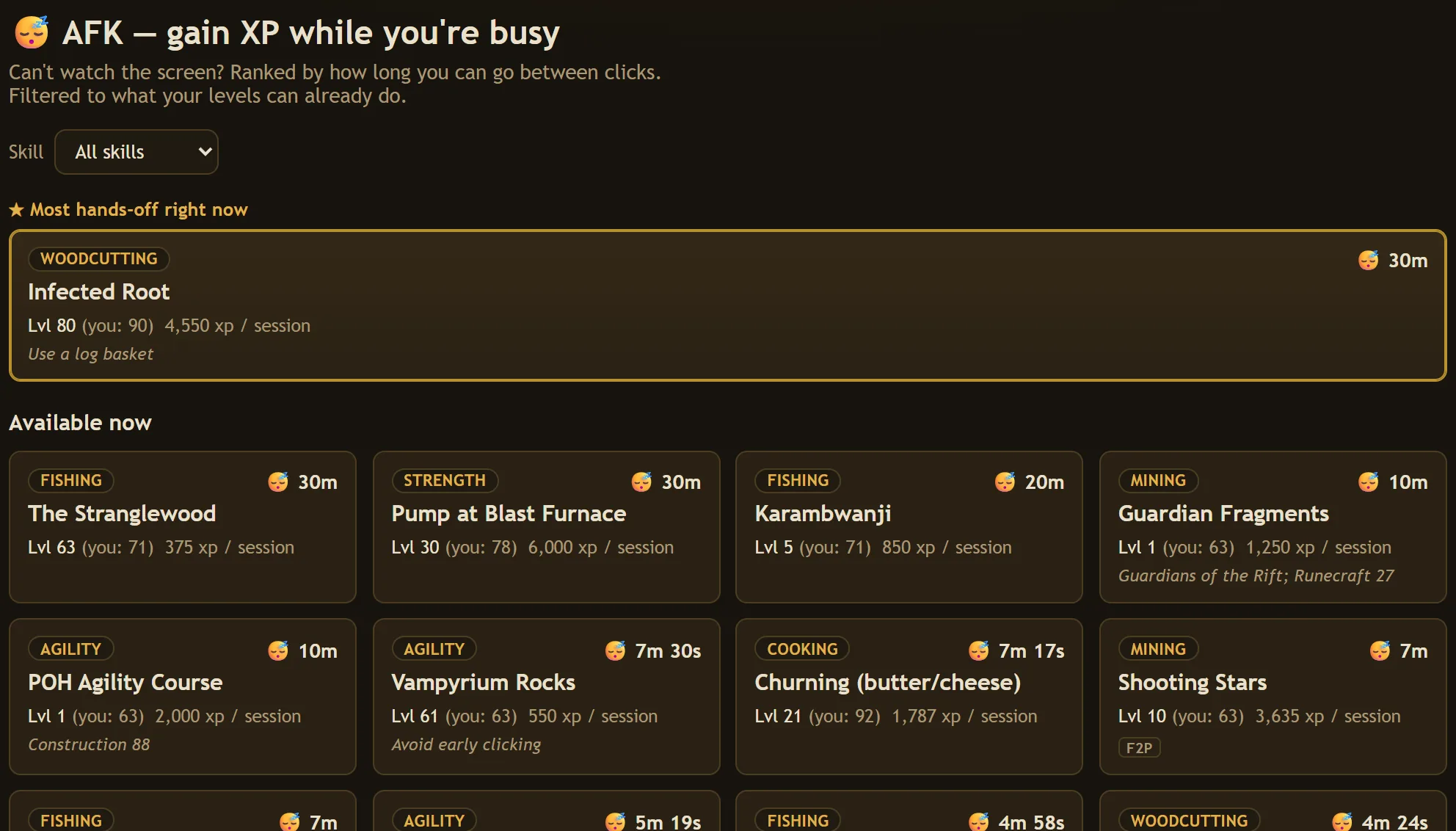
Gain XP while you're busy
For the evenings you want progress but can't watch the screen. Waypoint ranks the game's most hands-off training methods by how long you can go between clicks, filtered to what your levels can already do.
- The single most hands-off option, front and centre
- Filter by skill, and see what a higher level would open up
- XP per session, plus any gear or quest a method needs
Plus the little things: a warm welcome-back recap of what you finished since your last visit, a small celebration when you tick something off, and a campfire quietly crackling in the corner while you plan.
Hand a friend a link and get an actual opinion
A read-only page of your whole account that anybody can open, no login needed. It leads with what stands out — the set you are one item from finishing, the boss you unlocked and never fought — so the person looking has something to react to instead of a wall of numbers.
Public only if you make one, and revocable whenever you like.
Open a real shared profile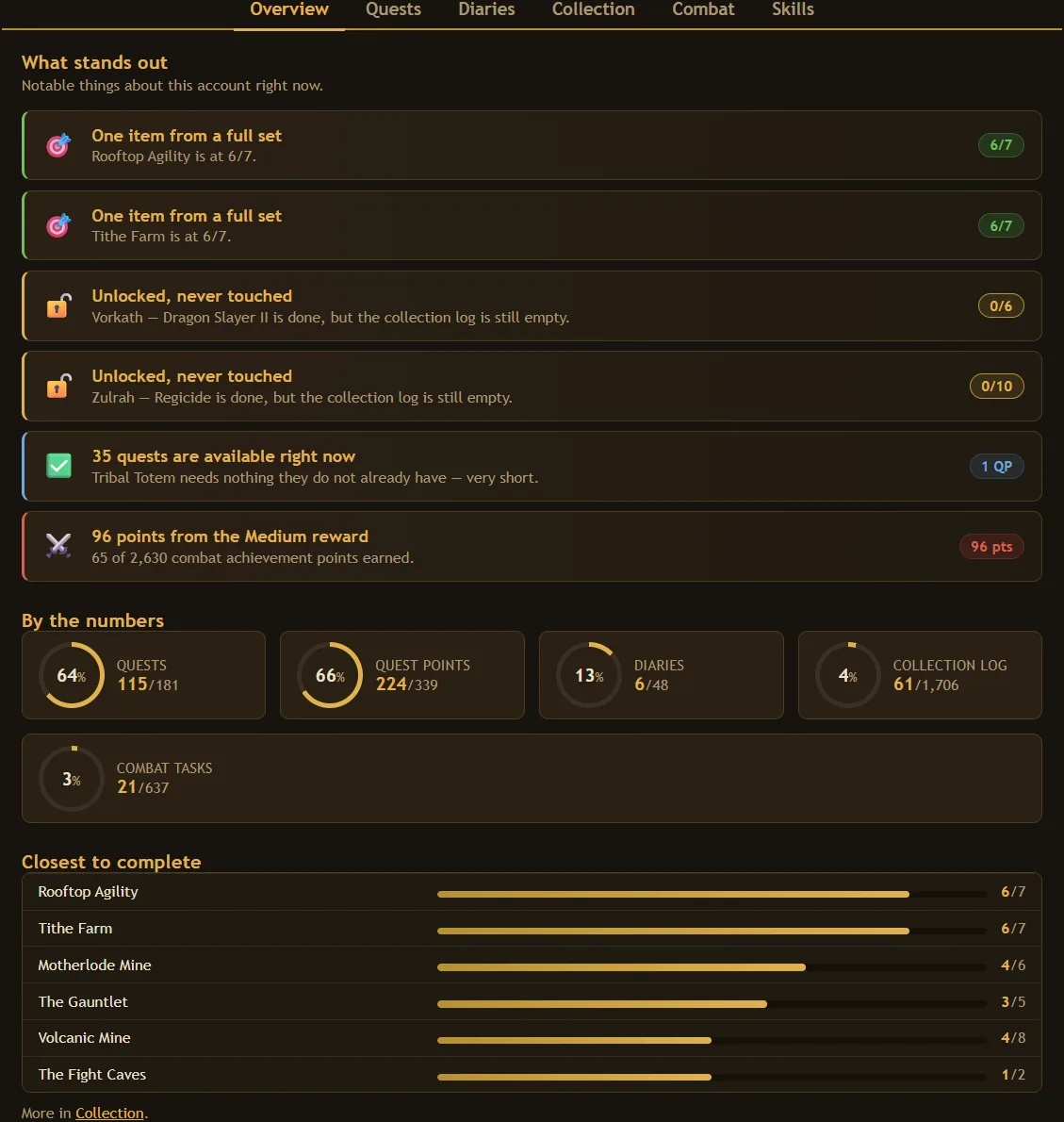
Nothing to tick off by hand
The RuneLite plugin reads your quests, diaries, combat achievements, skills and collection log straight from the client and keeps Waypoint current while you play. Paste one token and forget it exists.
- Syncs on login and every few minutes after
- Collection log entries land the moment the game announces them
- Reads no chat, no bank, and nothing about other players
Stop standing in Lumbridge.
Open the demo — no login, no sign-up — click around, and see whether it tells you something you did not know about your own account.
Free, and we never ask for your email address.